Portfolio.
E-Commerce Web Application


Technologies used
- React
- Redux Toolkit
- Socket.io
- js-cookie
- Session Storage
- Local Storage
- Context Provider
- Axios
- Formik/Yup
- Recharts
- Cloudinary
- React-Bootstrap
- Node.js
- Express.js
- Mongoose
- MongoDB
- JSON Web Token
- Passport.js
- Bcrypt
- JavaScript
- CSS
- Docker
- Netlify
- Ubuntu/Nginx
- GitHub
The Development Process
I created this application using the MERN stack. The front-end is hosted on Netlify, while the back-end is deployed on a remote Nginx server, encapsulated within a Docker container.
Eva Chabot
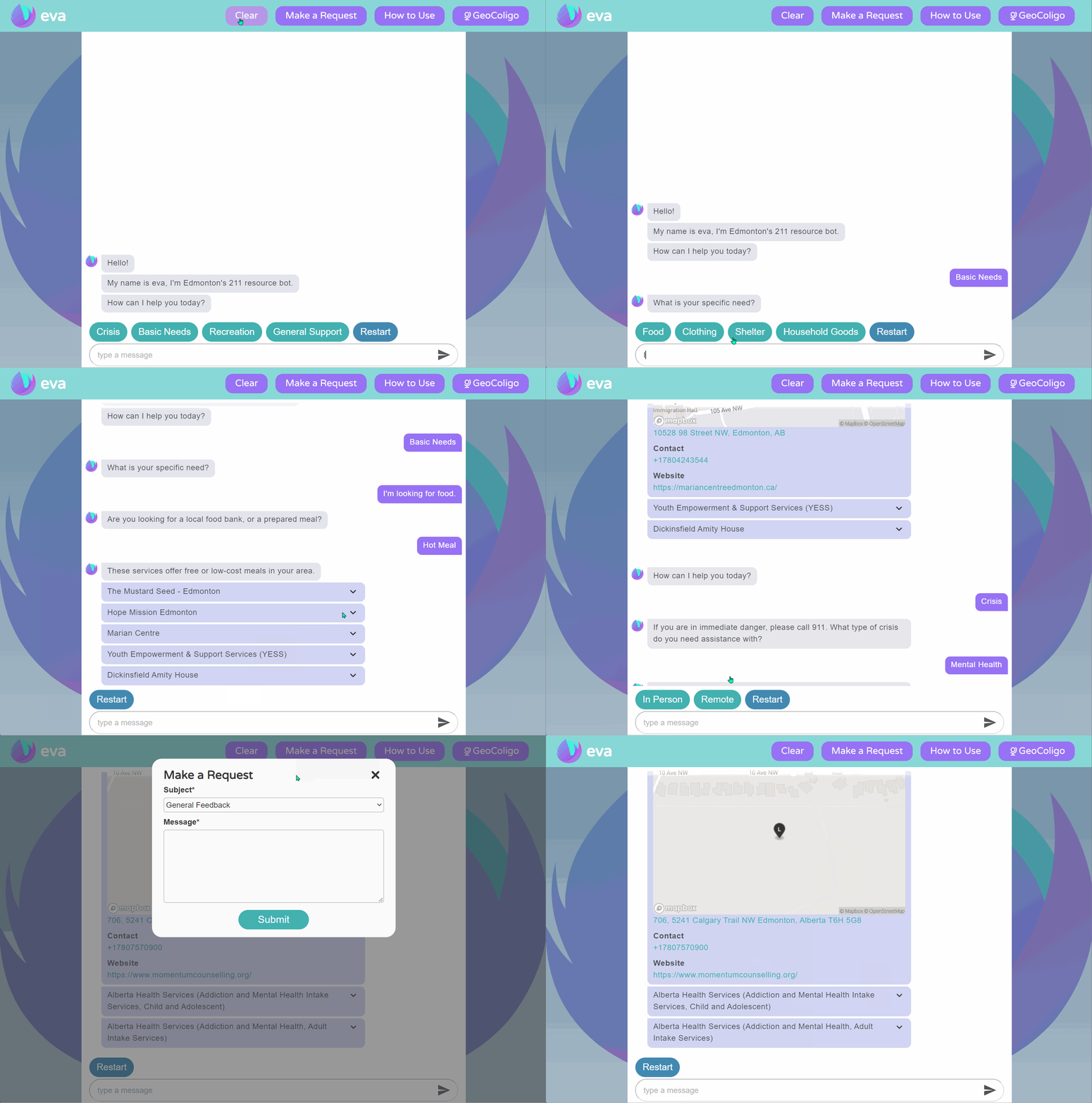
Though there are many services available to the homeless population in Edmonton, it is often difficult for individuals to find the resources they need. That’s why we built Eva – the Edmonton Virtual Assistant. An intentionally simple and intuitive interface makes this web application accessible to a broad audience. Even for those who may have inadequate literacy or computer skills, Eva is easily navigable and provides straightforward access to crisis hotlines, food banks, shelters and more.
Technologies used
- Django
- Python
- SQLite
- React
- Redux
- JavaScript
- CSS/SCSS
- Bootstrap
- HTML
- Jest
- Enzyme
- Puppeteer
- GitHub
- GitHub Actions
- GitHub Projects
The Development Process
As a team of six, we built this greenfield project over a four-month period for a client involved with the Edmonton Housing First Program. We followed an agile development process with daily SCRUM meetings and two-week sprints.
While design and requirements documents were prepared as a team, each member had a unique role in the development process. My main focus was back-end development. I worked with Django, Python and SQLite to create our server-side logic
and to
implement a RESTful API. In addition, I used React/Redux and Javascript in the front-end to build a how-to-use instructions modal, I wrote our front-end unit and integration tests, and I set up GitHub Actions for continuous integration.
If you’d like to learn more about our app, please check out our YouTube video below.
Moodroid Mood Tracker


With a growing number of people worldwide suffering from mental health conditions, we wanted to create something that could help make a difference. The result was Moodroid, an Android application that allows the user to record and
monitor
their moods over time.
The intention is to help find out when and why mood shifts happen and what events trigger certain emotions.
Besides keeping track of one’s own moods, Moodroid enables the user to add and follow friends, who will then be able to see and share their mood events with them.
Technologies used
- Android Studio
- Java
- Firebase Firestore
- GitHub
- Trello
The Development Process
In a team of six, we created this mood tracker practising the agile development methodology. Besides daily SCRUM meetings,
we used Trello to keep track of our progress, and we utilized GitHub to allow for code sharing and version control.
Though I worked on the front-end as well, I spent most of my time on back-end development. My main responsibilities included the creation of the mood history, the sorting functionality, and everything related to adding new moods and editing existing moods.
Our main programming language was Java, and we used the cloud-hosted NoSQL Firestore database to store and maintain our users' data.
My Website
Technologies used
- HTML
- CSS/Flex
- JavaScript
- GitHub
The Development Process
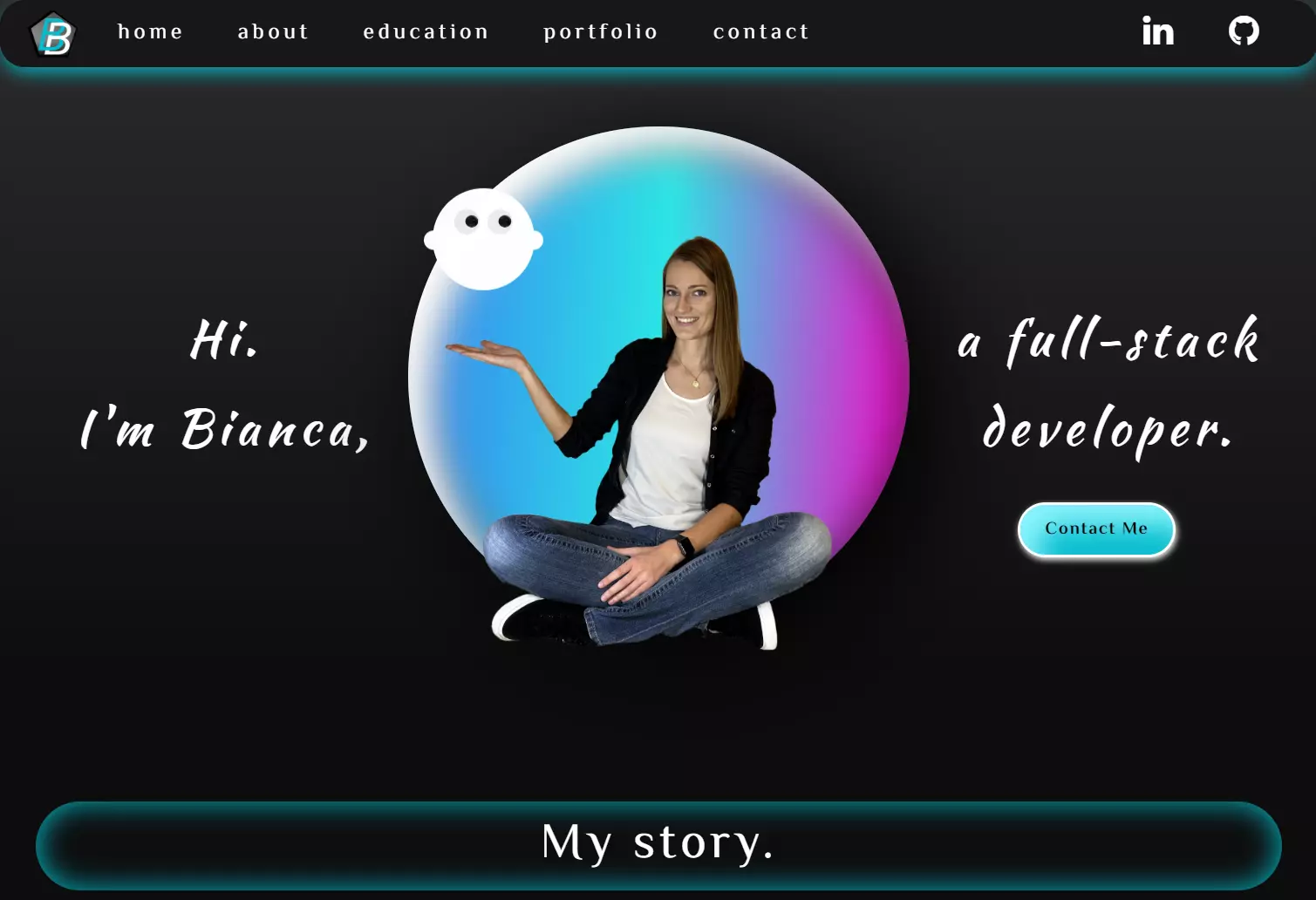
I believe the only way to learn any skill well is to first master the fundamentals. For web development, this means having a good understanding of the basics before starting to use libraries and frameworks that can help make life easier. That’s why my goal for this website was to use only the essentials – HTML, CSS and Vanilla Javascript. I used some basic CSS Flexbox patterns to avoid an unnecessarily high amount of position properties, but I avoided the use of Grids, Sass, Bootstrap, JQuery and Co. Everything on my website was done from scratch – from the navbar, to the interactive ghost, to the user form and animations. If you’d like to check out my work, please go to https://bianca.bitting.info, or click the button below.